service
Custom customer portal development
We design and build customer portals that move orders, documents and support out of the email loop — a secure self-service interface connected to the systems your business already runs.
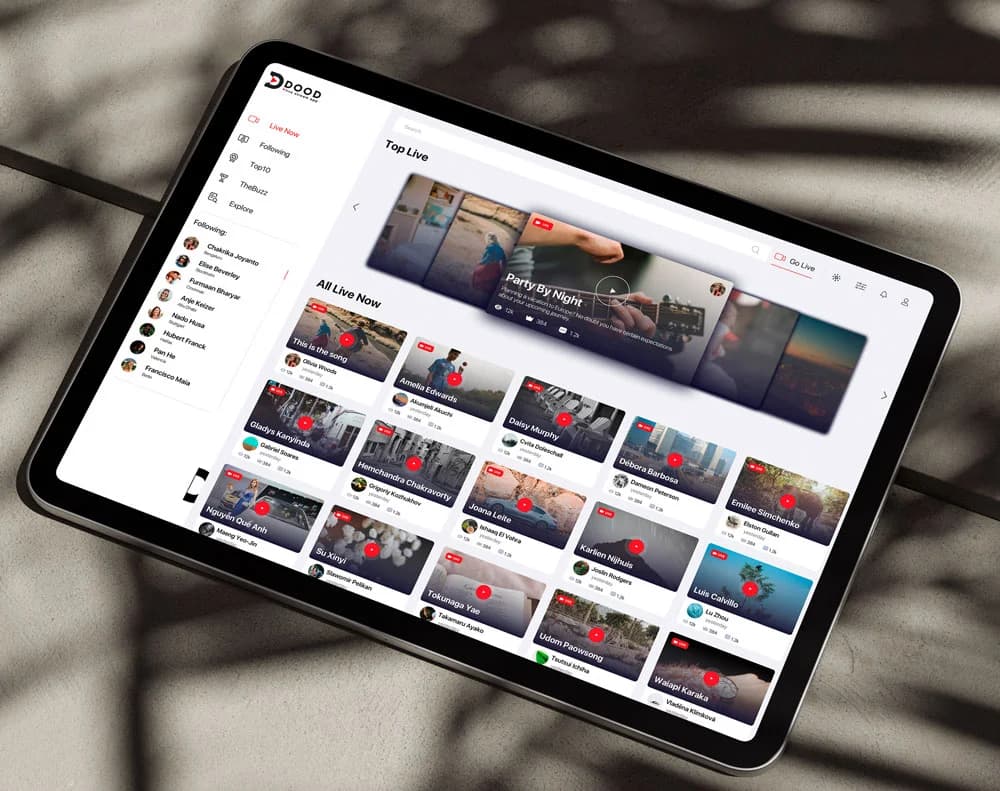
what it is
A customer portal is a login-based interface where your customers place orders, track projects, download documents and manage their accounts — assembled in real time from your ERP, CRM and file systems through controlled integrations.
who it’s for
B2B companies whose customer relationships involve repeat orders, documents, support workflows or account complexity that a shared inbox and spreadsheets can no longer carry.
how it works
Map the workflows
What customers actually do with you, and which systems hold that data today.
Design the portal
Information architecture and UX built around real customer tasks, with role-based views.
Build & integrate
SSO, integrations, staged releases — a working core first, extensions after.
key takeaways
- —Self-service orders, documents, support and account management
- —Integrated with your ERP, CRM and helpdesk — your team keeps their tools
- —SSO and role-based access for customers, dealers and staff
- —No per-seat platform licensing; the portal is yours
Out of the inbox, into one interface Companies usually come to us after trying to create a customer portal on a generic platform and hitting its ceiling.
Every order placed by email, every spec sheet re-attached, every status question answered by a person — that is portal workload done manually, and it scales with your customer count. A custom customer portal gives each customer a personalized, real-time view of their relationship with you: orders from the ERP, documents from your file store, tickets from your helpdesk, all behind single sign-on with role-based access. Your team keeps working in the systems they know; the portal reads and writes through a controlled integration layer.
Designed around real customer tasks
Portal projects fail when they mirror the org chart instead of the customer's day. We start from what your customers actually do — reorder, check status, download certificates, approve quotes, raise issues — and design the information architecture around those tasks. A dealer sees dealer pricing; a direct customer sees list pricing; your staff see everything with an audit trail. The result is a tool customers adopt because it is faster than emailing you, which is the only adoption strategy that works.
Custom vs. portal software
Off-the-shelf client-portal tools fit standard workflows: shared files, messages, invoices. They stop fitting when your portal must reflect configured products, contract pricing, dealer hierarchies or deep ERP integration — the platform's data model becomes the ceiling, and per-seat pricing grows with your success. A custom build costs more upfront, carries no per-seat licensing, and is shaped around your processes instead of forcing them into a template. The practical test: if you maintain spreadsheets alongside a portal tool to cover what it cannot do, you have outgrown it. And if buyers configure the product itself before ordering, pair the portal with custom product configurator development so configured, priced quotes flow into the same workflow.
Staged delivery, working software early
The core ships first — login, orders, documents — as working software your pilot customers use while we build the next increment. Support workflows, self-service features, notifications and analytics follow in planned extensions. Weekly reviews happen in the running application, not in slide decks.
Priced for the work
Engagements typically run $60,000–$250,000 by integration depth and workflow count. A mapping session produces the specification and fixed price first; the portal is yours at handover — source code, documentation, deployment.
questions
How do you build a customer portal?+
A customer portal starts with mapping what your customers actually do with you — orders, documents, support requests, account changes — and which systems hold that data today. We design the information architecture and workflows first, then build the portal as a custom web application connected to your ERP, CRM or order system through an integration layer. Authentication uses single sign-on with role-based access, so dealers, direct customers and internal staff each see the right view. The build is staged: a working core (login, orders, documents) ships first, then support workflows and self-service features are added in increments. Typical engagements run several months depending on integration depth, and the portal remains yours — no per-seat platform licensing.
What is portal development?+
Portal development is the design and build of a secure, login-based web interface where a defined group — customers, partners, dealers or employees — can work with your company's data and processes in self-service. Unlike a marketing website, a portal is transactional: users place orders, download documents, track projects, register leads or manage their accounts. Development covers information architecture, user experience design, the application itself, and integration with the systems that own the underlying data, such as an ERP or CRM. The distinction from off-the-shelf portal software is that a developed portal is shaped around your specific product logic and workflows rather than forcing your processes into a template.
Should we buy client portal software or build a custom portal?+
Off-the-shelf client portal software is the right answer when your workflows are standard: shared files, messages, invoices. It stops being the right answer when your portal has to reflect real product complexity — configured products, contract pricing, multi-level dealer hierarchies, or deep ERP integration. Platforms constrain you to their data model and charge per seat as you scale. A custom portal costs more upfront but is built around your actual processes, integrates with the systems you already run, and carries no licensing that grows with your customer count. A practical test: if you are maintaining spreadsheets alongside a portal tool to cover what it cannot do, you have outgrown it.
How does a customer portal work?+
A customer portal sits between your customers and your internal systems. The customer signs in through a secure login, and the portal shows them a personalized view assembled in real time from your business systems: their orders from the ERP, their documents from your file store, their support tickets from your helpdesk. When they act — reorder, approve a quote, upload a file — the portal writes back to those systems through controlled integrations, so your team keeps working in the tools they already know. Permissions decide who sees what: a dealer sees dealer pricing, a direct customer sees list pricing. Done well, the portal removes the email-and-attachment loop that otherwise consumes your customer-facing staff.
related services